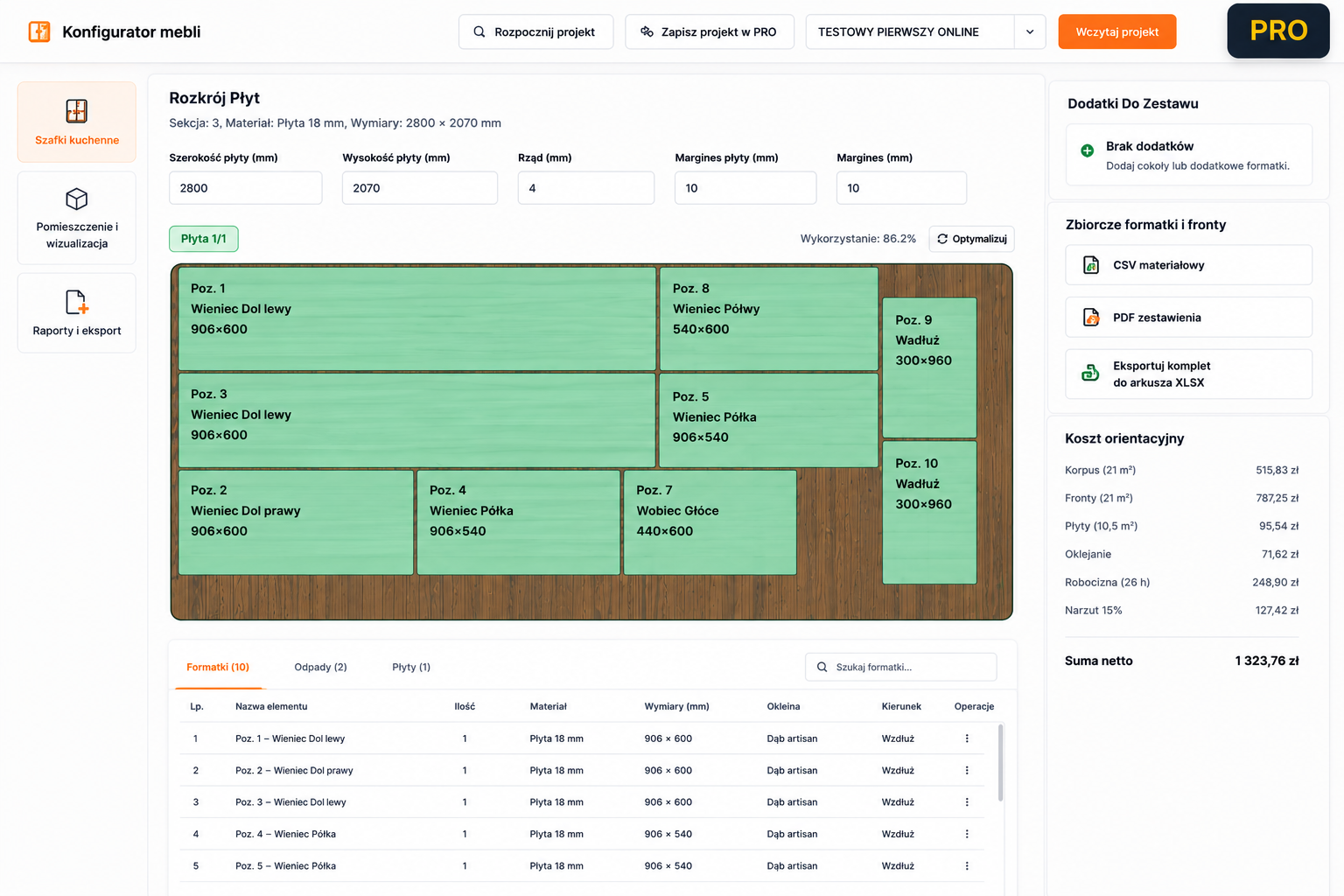
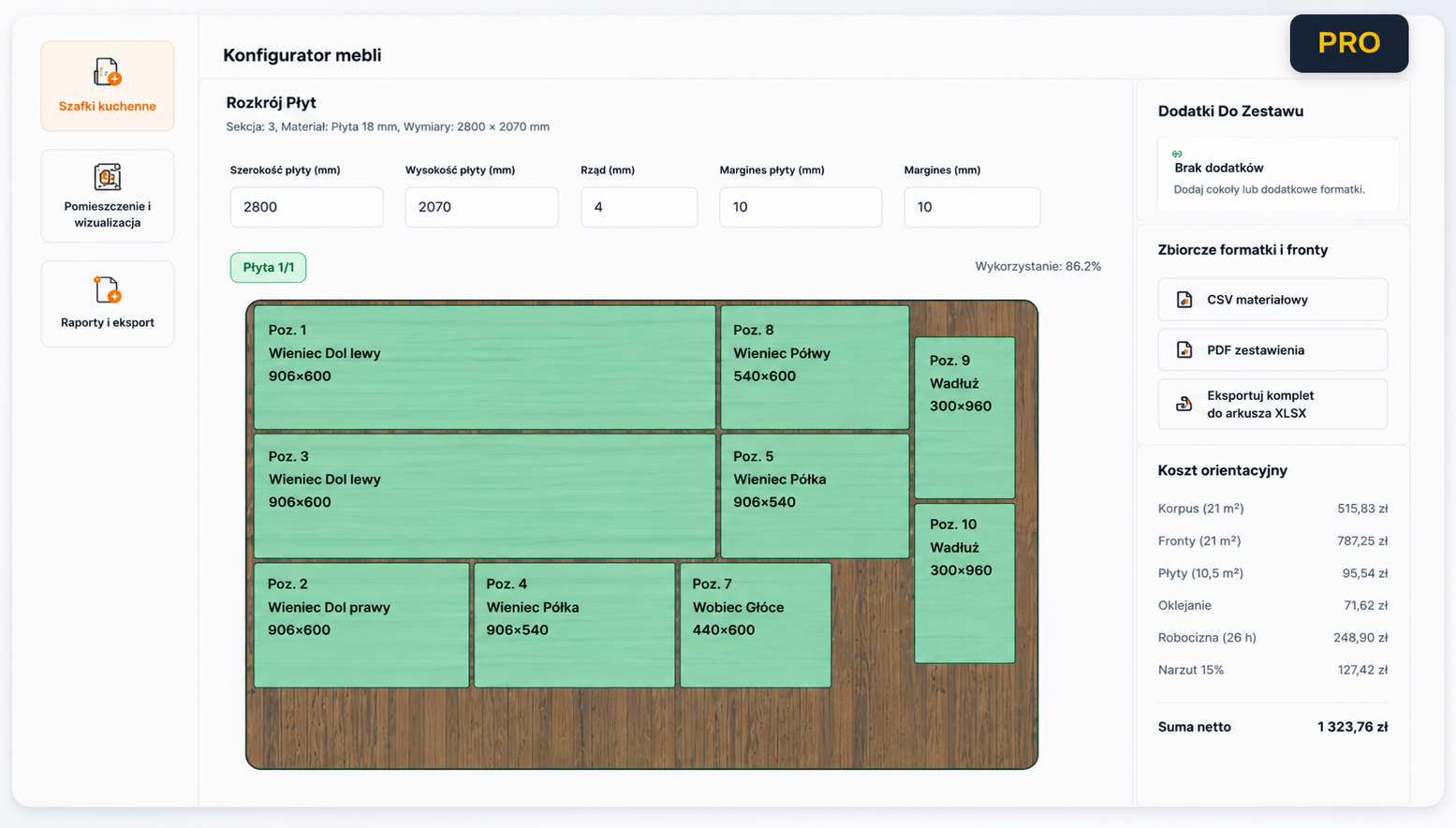
Sheet Optimization for Cabinet Parts
A practical guide to preparing sheet layouts, cut lists, edge banding and production data without file chaos.
Read the guide
Blog and guides
Practical guidance for design, estimating, sheet optimization and production.
Content for real work
Concise guides to design, estimating, sheet optimization and production preparation.
Featured guides
Move directly from a guide to the designer and try the workflow on a project.
A practical guide to preparing sheet layouts, cut lists, edge banding and production data without file chaos.
Read the guideHow to choose cabinet-making software for design, estimating, cut lists, sheet optimization, 3D, cloud projects and reports without re-entering data.
Read the guide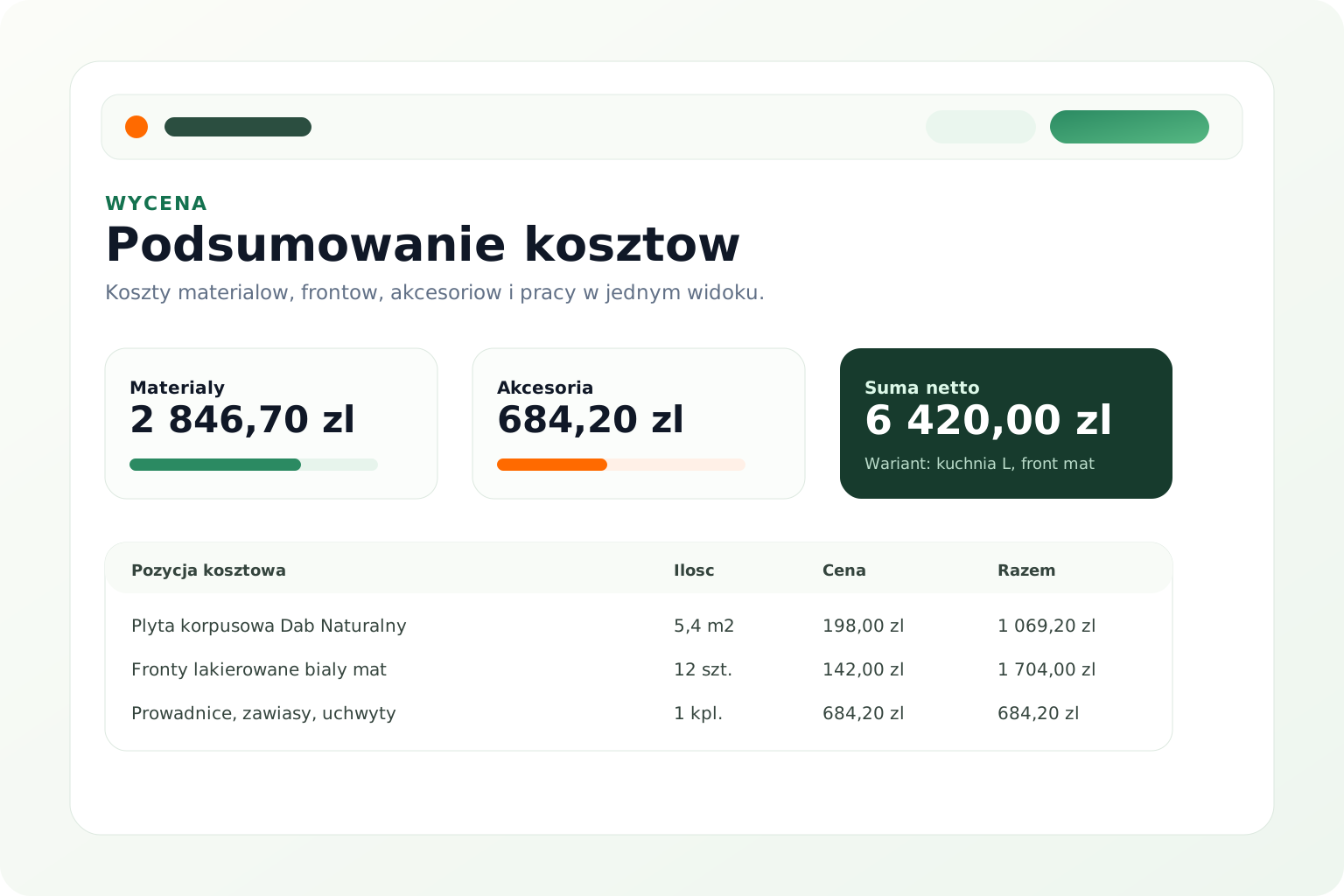
A cabinet-shop guide to estimating custom furniture, collecting material and labour costs, comparing variants and preparing a client quote.
Read the guide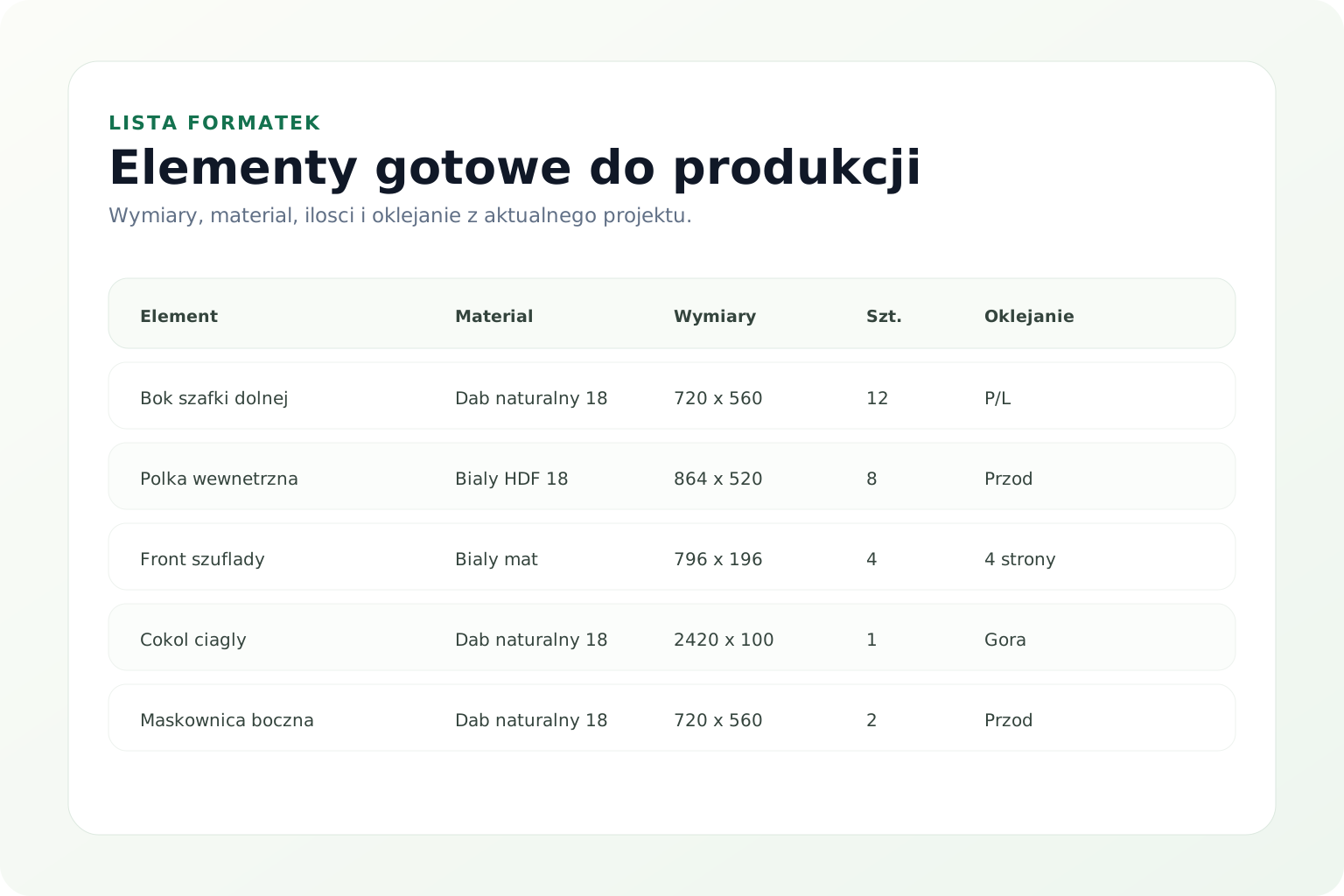
What a cabinet cut list should contain: dimensions, edge banding, material, module, quantity, design variant and production checks.
Read the guide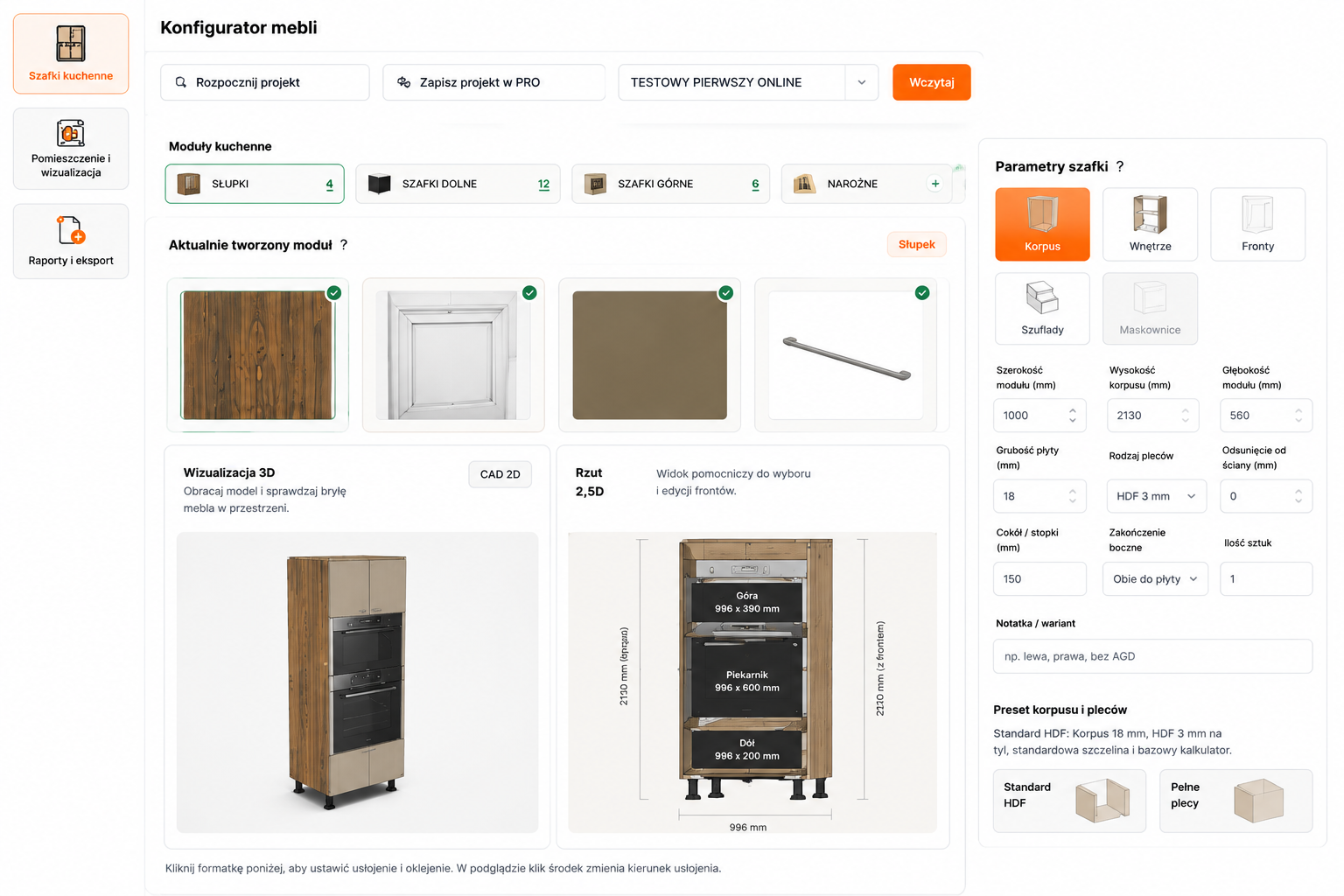
How to design cabinets online: measurements, layout, modules, 3D visualization, cut lists, estimating, cloud saving and handoff to production.
Read the guideRelated pages
Access the core modules from one place.
FAQ
Brief answers for teams evaluating whether FurniturePilot fits their workflow.
Yes. The articles cover practical topics including cabinet-making software, sheet optimization, estimating, cut lists and online cabinet design.
Yes. The guides and every article provide direct links to the application at /app.html.
Yes. Each article includes breadcrumbs, related content and links to FurniturePilot product pages.
From guide to project
Design, cut lists, sheet optimization, estimating and reports work best as one connected workflow.
FurniturePilot automates report preparation and helps save time. Results depend on the data and project settings you provide. Before ordering materials or starting production, verify measurements, part quantities, materials, edge banding, grain direction, hardware, tolerances and installation requirements.
Automated checks support project review but do not replace technical verification. Visualizations, including AI Rendering, are for presentation and are not shop drawings.